
Syslog collector
Point your switches, firewalls, routers and Linux servers at LogSentry. Each device appears automatically as soon as its first message arrives — no manual inventory.
LogSentry collects logs from your switches, firewalls, routers and Windows servers, watches them for trouble and alerts your IT team the moment something needs attention. It runs on your own server, so your logs never leave your network.
One installation replaces a syslog server, an event-log viewer, a port monitor and a spreadsheet of device configs.
Point your switches, firewalls, routers and Linux servers at LogSentry. Each device appears automatically as soon as its first message arrives — no manual inventory.
A light agent forwards event logs from domain controllers and file servers — sign-ins, lockouts and changes land next to your network events.
Live switch-port status and traffic, so you see a port go down or a link saturate before users call.
Ping and ARP scanning find the devices on your network and classify them, so nothing hides in a corner.
Alert rules flag critical events; your team acknowledges them, and every action is kept in a user audit log.
Keep device configuration backups and compare versions — find out exactly what changed, and roll back with confidence.
One Windows installer sets up the collector as a service that starts at boot, opens the firewall ports it needs and generates its own secrets.
Set each device's syslog to the server (UDP 514) and add the agent to your Windows servers. Devices show up on their own.
Your team signs in to the web console to see events, devices and alerts in one place — with roles for admins, operators and viewers.
Real screens from a running LogSentry console.
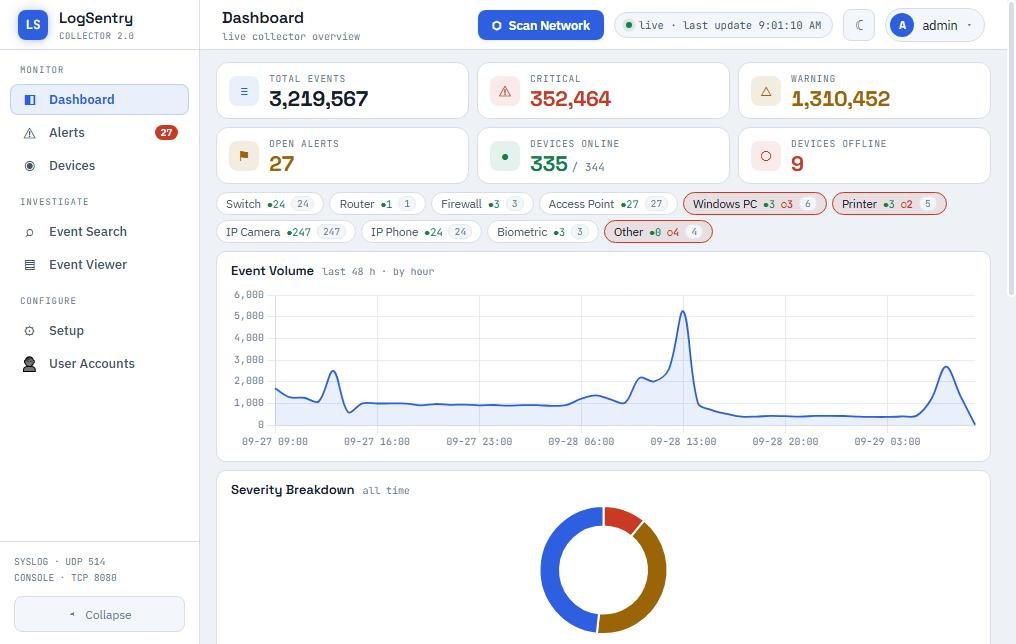
Dashboard — every event, alert and device on your network at a glance.
No. LogSentry runs on your own server and keeps its database there. Even the Hub Edition only reports that the collector is healthy — your logs stay on your network.
Anything that can send syslog — Cisco and other switches and routers, firewalls, Linux servers — plus Windows servers through the LogSentry agent. Switch ports are polled over SNMP.
No. LogSentry is a separate product for any organization that runs its own network — companies, hotels, hospitals, schools or factories.
We do, and we train your team. The installer itself takes minutes; most of the work is pointing your devices at it, which we handle with you.
On request, based on the size of your network and the edition. Message us on WhatsApp for a quote.
A short call on WhatsApp is all it takes to get started.